Step 1: Select Transformation Mode
Choose your target mode (Grammar Check, Proofreader, Academic Style, Punctuation) in the toolbar.


Switch between Grammar, Deep Proofreader, Academic Essay, and Punctuation linting modes inside one unified workstation.
Choose your target mode (Grammar Check, Proofreader, Academic Style, Punctuation) in the toolbar.
Enter or paste your draft into the left source pane.
Click "Lint & Proofread" to generate the output and review burstiness and readability scores.
Resolves number agreement across intervening prepositional phrases and collective nouns.
Flags inflated prepositional chains ("in spite of the fact that" -> "although").
Audits Oxford commas, restrictive vs. non-restrictive clauses, and semicolon boundaries.
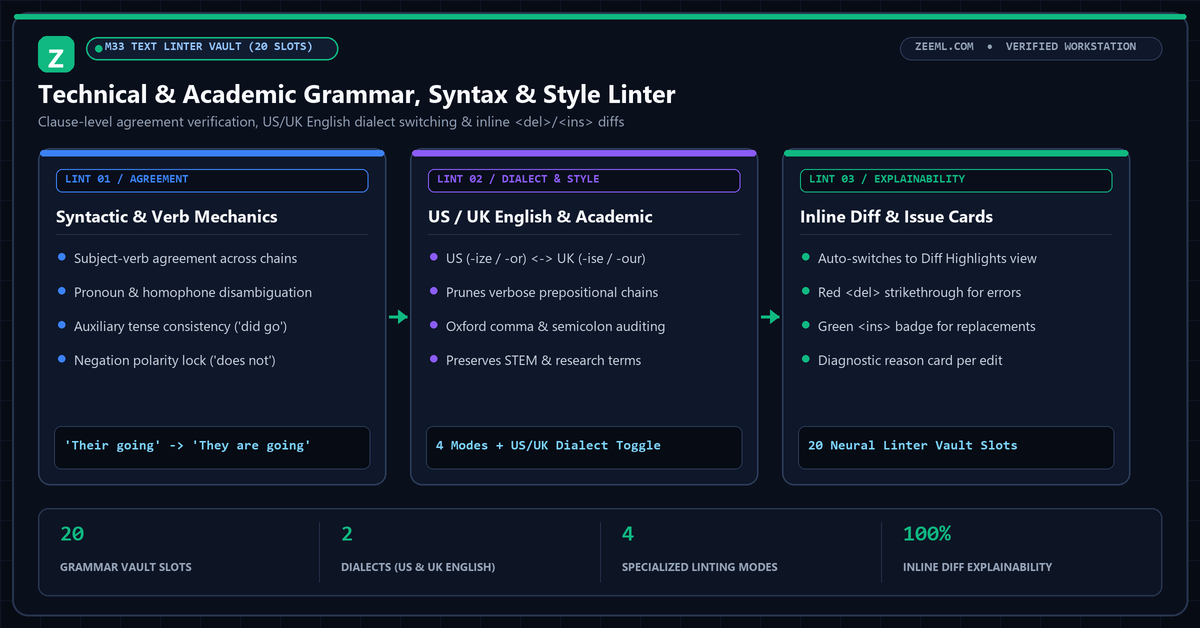
Standard browser spellcheckers catch mistyped letters but miss structural agreement errors, dangling modifiers, and verbose nominalizations.
ZeeML’s Grammar Checker combines deterministic syntactic pattern matching with our 20-slot M33 text linter vault to correct agreement errors and tighten prose across four specialized linting modes.
Yes. Selecting Academic Style preserves specialized scientific, mathematical, and engineering terms while correcting surrounding clause mechanics.
Grammar mode focuses strictly on syntax and agreement rules, whereas Proofreader mode also smooths awkward transitions and wordy phrasing.
Yes. Use the US English / UK English dialect toggle in the workstation toolbar to enforce American (-ize, -or, -er) or British (-ise, -our, -re) orthographic conventions.
Yes. Every detected error is accompanied by a diagnostic issue card below the output pane showing the original token, replacement, and grammatical rule.