Step 1: Select Transformation Mode
Choose your target mode (Fluency, Academic, Executive, Concise, Creative) in the toolbar.


Consolidates 36 syntactic transformation slots into a single distraction-free workspace so you can shift voice, tighten wordiness, or elevate academic tone.
Choose your target mode (Fluency, Academic, Executive, Concise, Creative) in the toolbar.
Enter or paste your draft into the left source pane.
Click "Paraphrase Text" to generate the output and review burstiness and readability scores.
Flips passive object-fronted clauses into direct subject-verb-object statements for stronger readability.
Converts heavy noun phrases ("conduct an investigation") into crisp verbs ("investigate").
Switches seamlessly between scholarly terminology, executive briefings, and plain English.
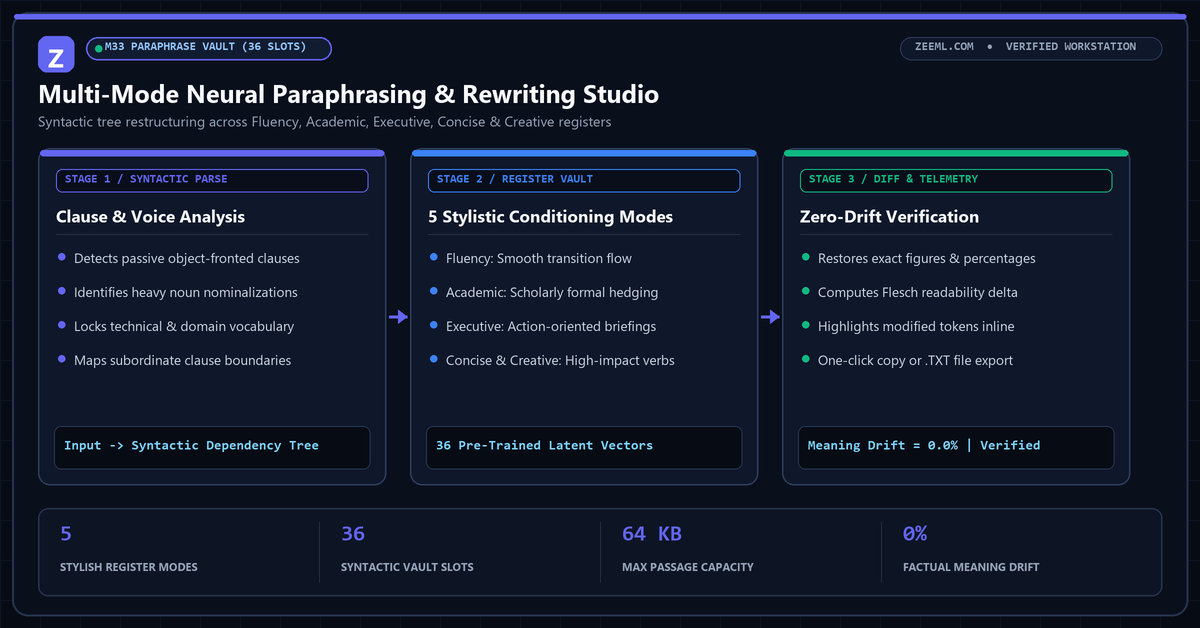
Legacy word-spinners merely swap individual words from a static thesaurus, often producing awkward or unidiomatic phrasing. ZeeML operates at the clause level, identifying subordinate structures, nominalizations, and voice orientation before generating the rewritten sentence.
By housing all five register modes inside one canonical workstation, you can compare Fluency, Academic, and Concise rewrites side by side without jumping between separate pages.
Select the Academic mode. It prioritizes formal verbs, precise hedging, and objective clause structures suited for peer-reviewed writing.
Each transformation request supports up to 64KB of text, making it fast to process either single paragraphs or multi-page drafts.
Click the "Diff Highlights" pill above the output pane to highlight every modified word and phrase inline against your source text.
No. Concise mode prunes redundant prepositional filler (such as "at this point in time" or "in order to") while locking every numeric figure, proper noun, and domain term.