Step 1: Select Formula or Mode
Choose the grading scale or mathematical operation from the selector.


Switch between percentage value, proportion ratio, relative delta change, and discount solver modes with full formula transparency.
18.5% of 1,450 = 268.25 (Complement 81.5% = 1,181.75)
Choose the grading scale or mathematical operation from the selector.
Input your values into the parameter fields.
Inspect the primary computed result alongside the step-by-step formula substitution.
Value = (P / 100) × Base. Converts a dimensionless per-hundred ratio into an absolute quantity.
Δ% = ((V_final - V_initial) / |V_initial|) × 100. Positive values indicate growth; negative values indicate contraction.
A 20% decrease followed by a 20% increase yields 96% of the original value (0.8 × 1.2 = 0.96), not 100%.
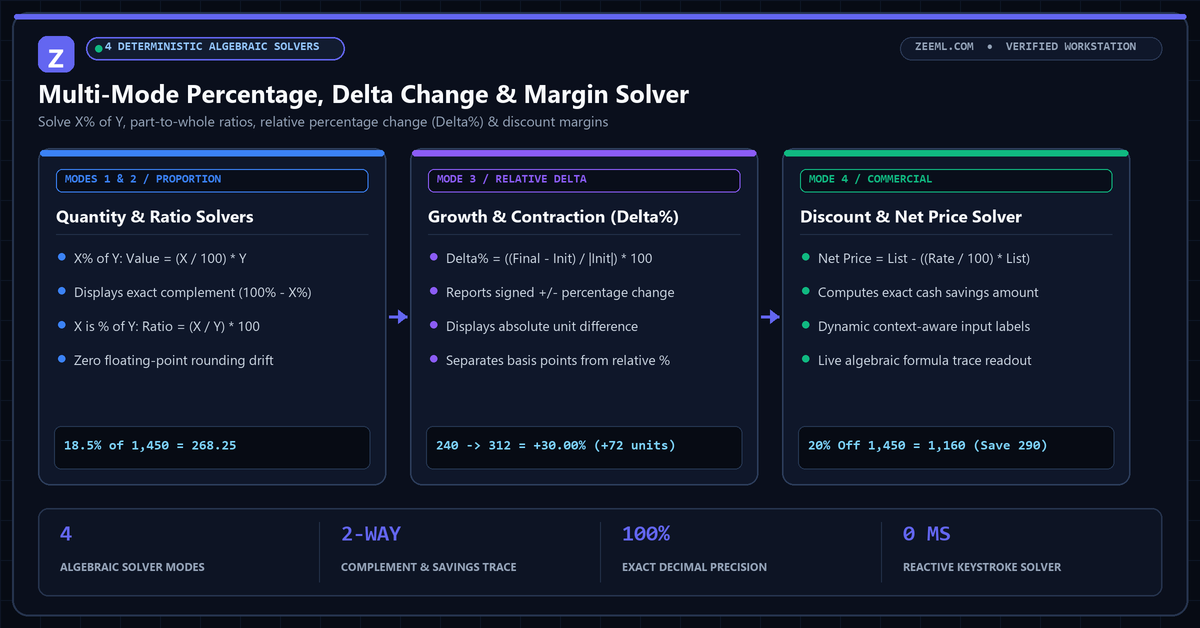
One of the most frequent quantitative mistakes in financial and academic reporting is confusing percentage-point differences with relative percentage changes. Moving from 10% to 15% is a 5 percentage-point (500 basis-point) increase, but a 50% relative increase.
ZeeML’s Percentage Calculator displays both the exact algebraic fraction and the complement value on every calculation so you never misinterpret baseline denominators.
Subtract the original value from the new value, divide that difference by the absolute value of the original number, and multiply by 100: ((New - Old) / |Old|) × 100.
Because the second percentage applies to the reduced base. Losing 50% of 100 leaves 50; gaining 50% of 50 adds 25, bringing the total to 75. Recovering a 50% loss requires a 100% gain.
Percentage change measures relative growth against the starting baseline, whereas 100 basis points always equals an absolute 1.0% arithmetic difference between two rates (e.g., 4.0% to 5.0% is +100 bps, or a +25% relative increase).
Select the "Discount Margin" mode, enter the discount percentage as X and the original list price as Y. The solver computes Discount = (X / 100) × Y and subtracts it from Y to display both net price and exact savings.