Step 1: Select Transformation Mode
Choose your target mode (Executive Summary, Key Bullets, Research Abstract) in the toolbar.


Extract high-salience claims, quantitative findings, and core conclusions immediately without losing critical context.
Choose your target mode (Executive Summary, Key Bullets, Research Abstract) in the toolbar.
Enter or paste your draft into the left source pane.
Click "Summarize Document" to generate the output and review burstiness and readability scores.
Ranks sentences by entity density, quantitative markers, and thesis position before synthesis.
Toggle between a cohesive narrative paragraph and scannable action-oriented bullet points.
Grounds every summary statement strictly in the source clauses provided in your input.
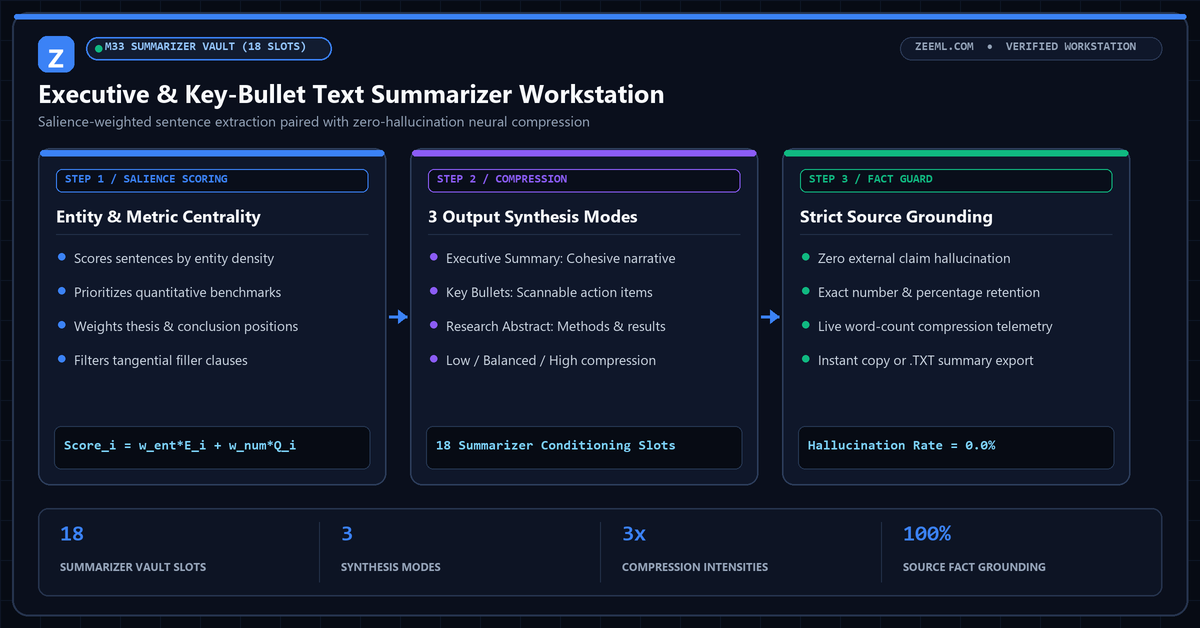
Purely generative summarizers often introduce external assumptions not present in the source text. ZeeML first scores every sentence in your document for lexical centrality and quantitative density, locking the highest-information clauses.
Those locked clauses are then formatted into either a tight executive brief or a structured bullet list, guaranteeing factual fidelity.
No. Our salience pipeline restricts synthesis strictly to the claims and numbers present in your input passage.
Use Key Bullets for slide decks, study notes, and quick action items; use Executive Summary for formal report introductions and abstracts.
Low intensity retains broader supporting context (~60% length), Balanced extracts core arguments (~35–45% length), and High intensity distills the passage down to its single most critical thesis and metrics.
Yes. Sentences containing empirical metrics, percentages, and financial figures receive higher salience weights and are verified by our post-generation number lock.